Vietnam e-Visa Guide
Everything you need to know about applying for your Vietnam e-Visa online. Follow a step-by-step instructions and screenshots to make the process easier.
Start the application guide ↓Before you begin
Prepare these documents and details before starting your application.
Valid passport
Passport information page.
Portrait photo
A recent digital photograph with a white background.
Travel dates
Your intended arrival and departure.
Accommodation
Your intended address in Vietnam.
Step-by-step application guide
Follow each step below to complete your Vietnam e-Visa application.
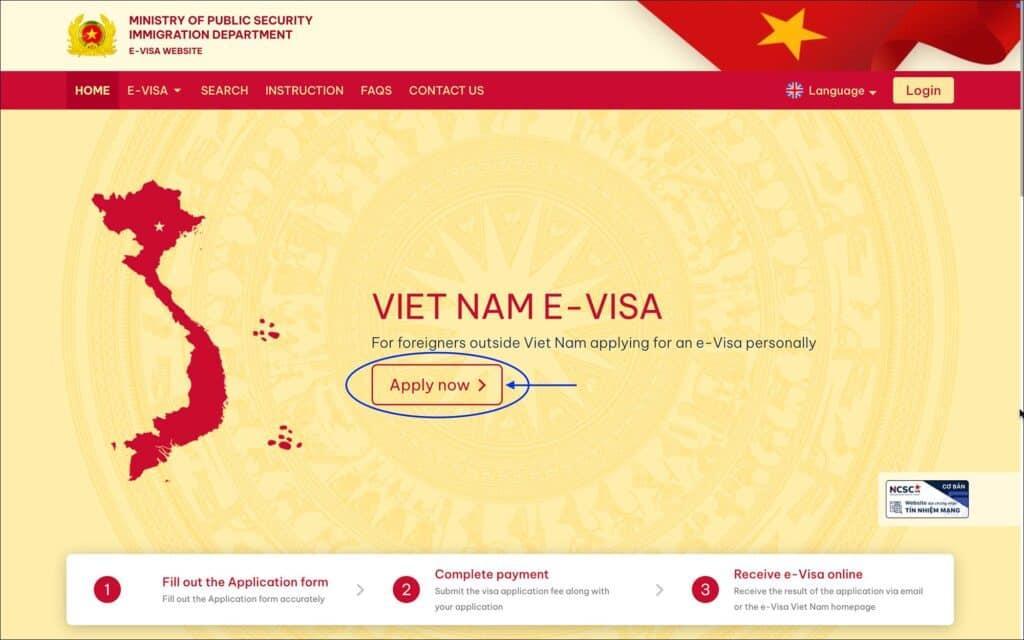
Visit the official website
Start by visiting the official Vietnam Immigration Department e-Visa portal. Make sure you are using the government website.
Helpful tips
- ✓Visit https://evisa.gov.vn/
- ✓Choose the e-Visa application option.
- ✓Avoid unofficial websites.
Read the instructions
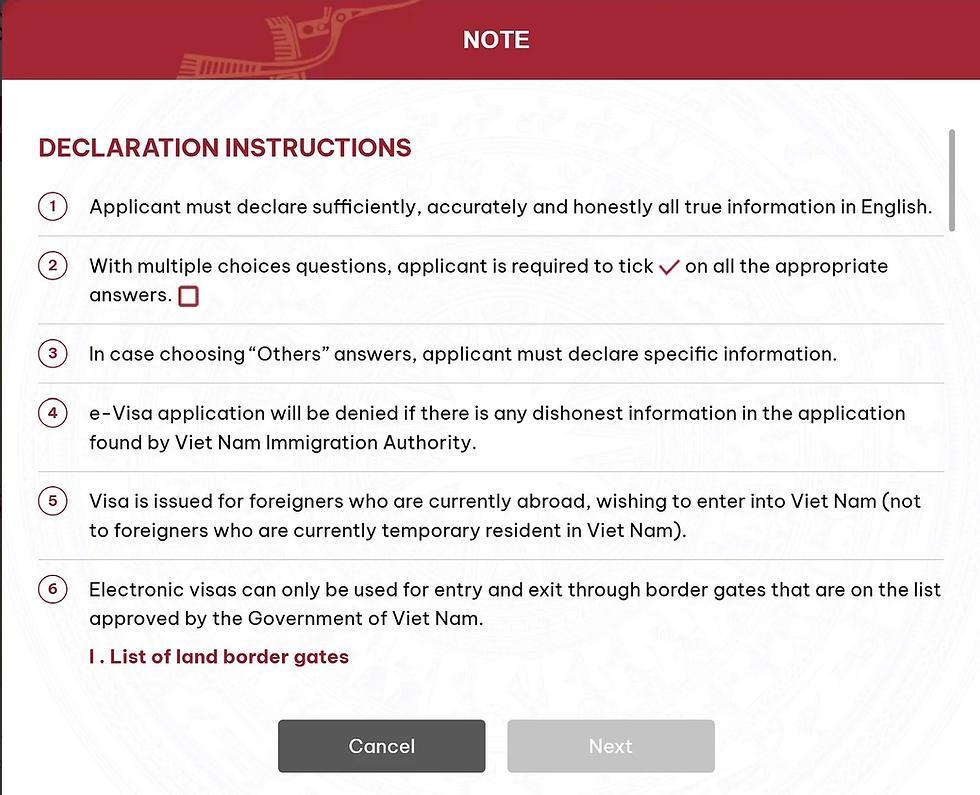
Read the application instructions and declaration carefully before proceeding.
Helpful tips
- ✓Read all application requirements.
- ✓Check your eligibility.
- ✓Confirm the information before continuing.
Upload your documents
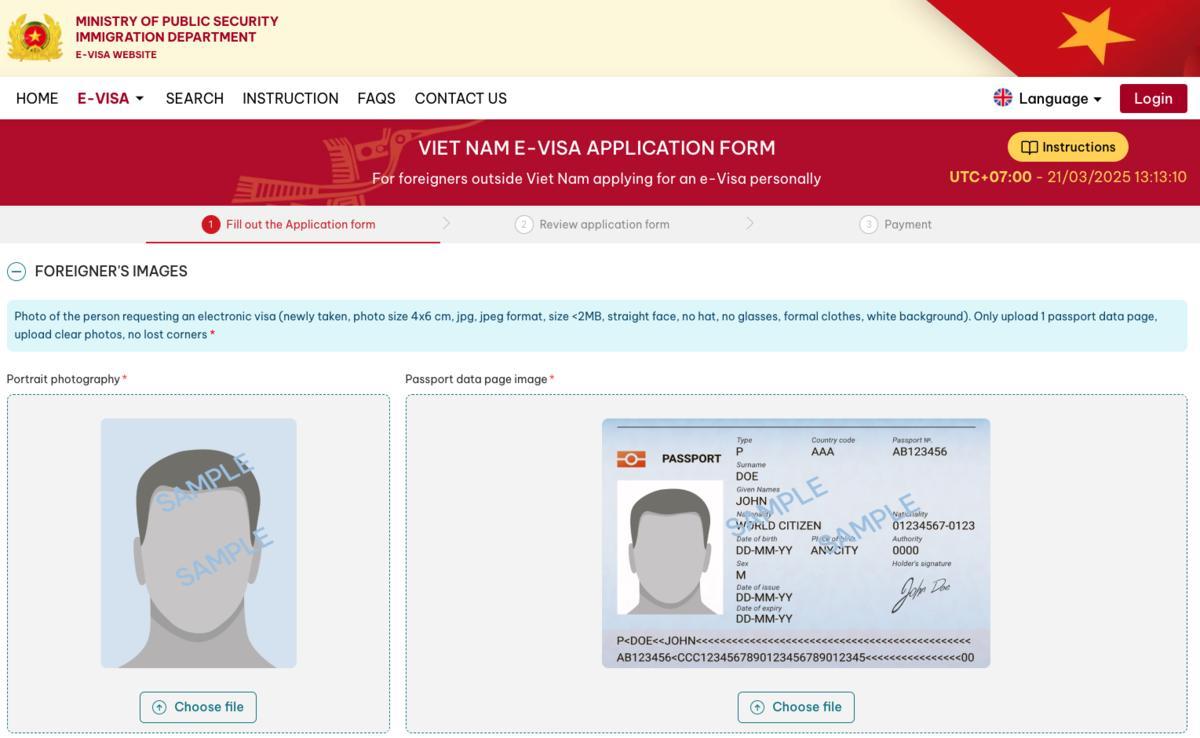
Prepare your passport information page and a recent portrait photograph. Upload both according to the portal requirements.
Helpful tips
- ✓Use a clear passport scan or photo.
- ✓Upload a recent portrait photograph with a white background.
- ✓Check image dimensions and file size (under 2 MB).
Enter personal information
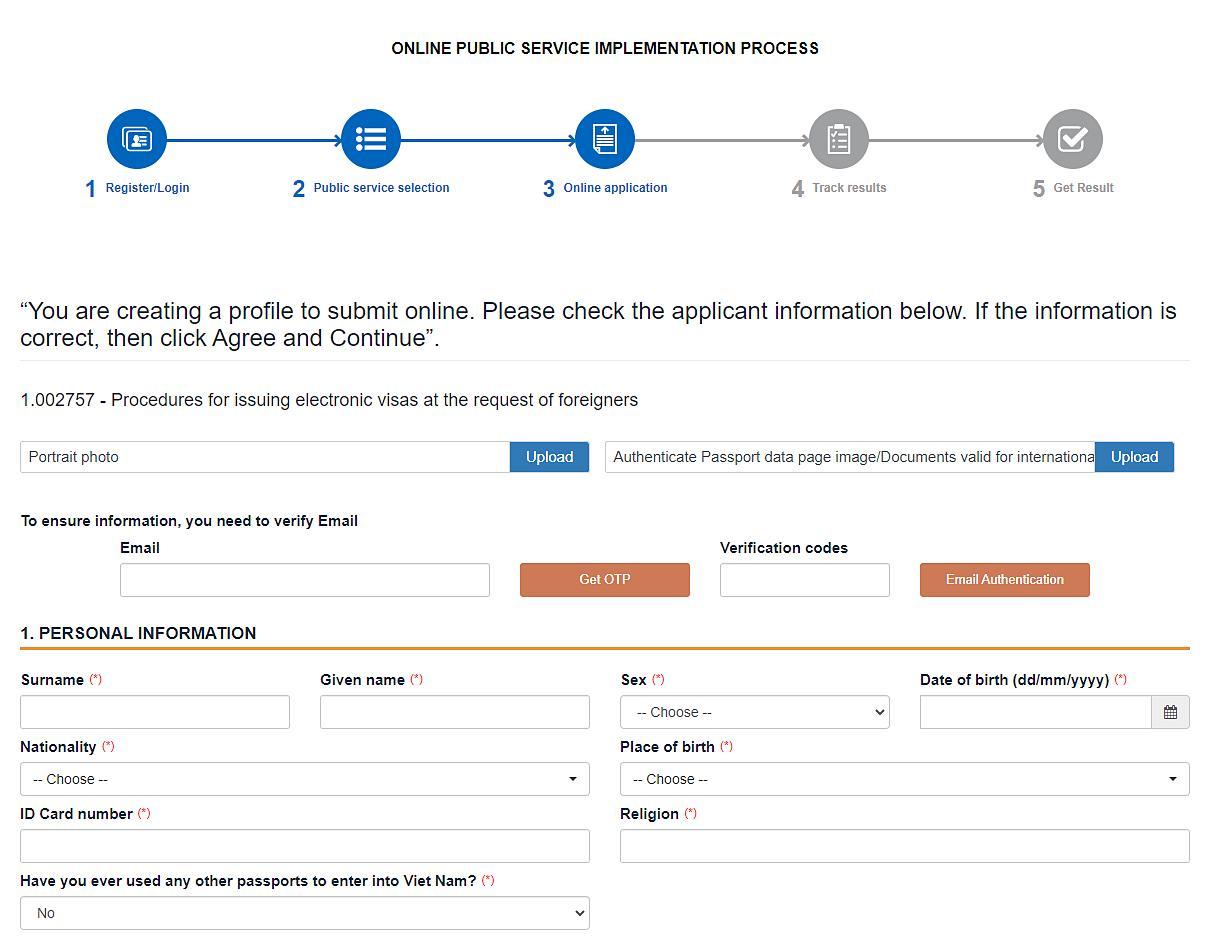
Complete your personal details exactly as they appear in your passport.
Helpful tips
- ✓Double-check your full name.
- ✓Check your passport number.
- ✓Verify your date of birth and nationality.
Enter travel information
Provide your planned arrival and departure dates, purpose of visit and accommodation details.
Helpful tips
- ✓Check your arrival date.
- ✓Select the correct entry checkpoint.
- ✓Verify your intended visa validity period.
Review your application
Carefully review all information before submitting your application.
Helpful tips
- ✓Check passport details.
- ✓Review travel dates.
- ✓Make sure uploaded documents are correct.
Submit and pay
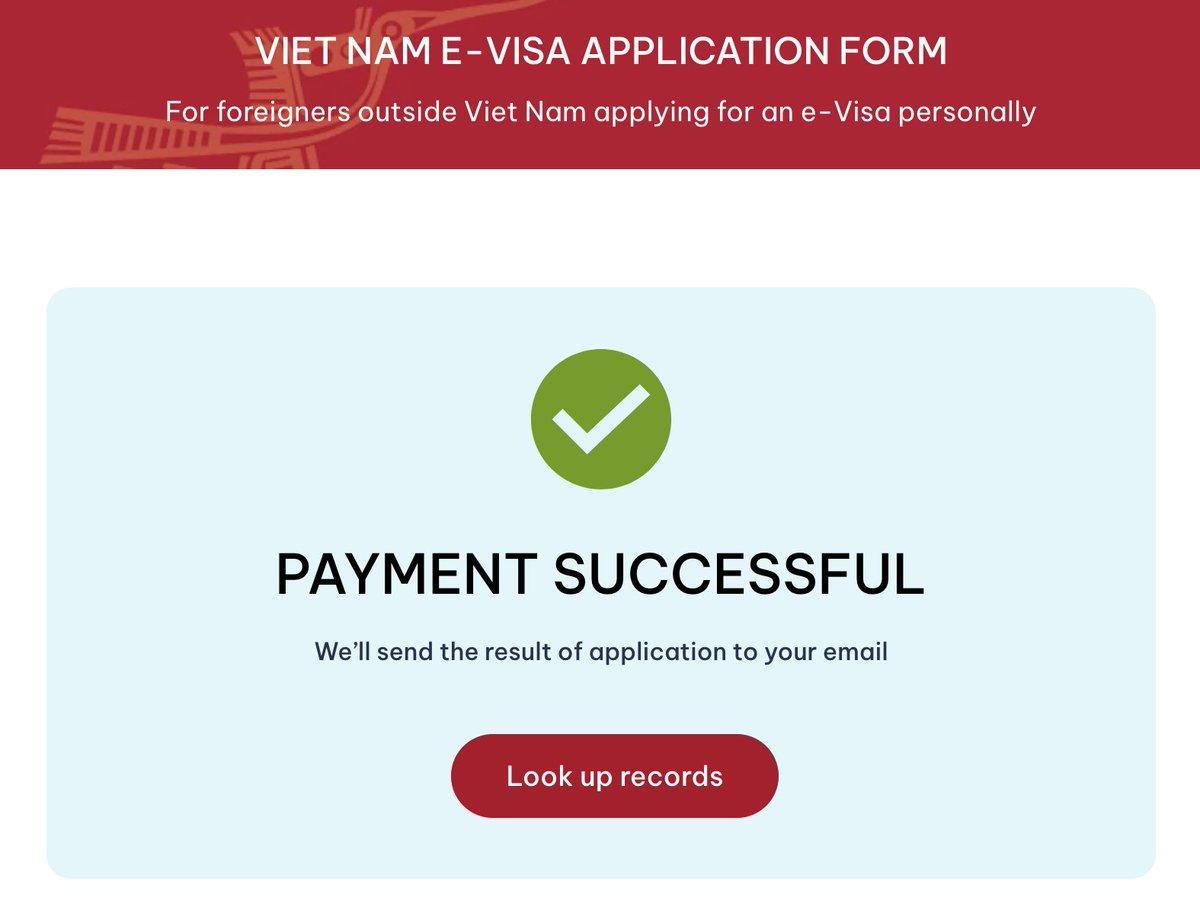
Submit your application and complete payment using the payment options provided by the official portal.
Helpful tips
- ✓Check the current official visa fee.
- ✓Save your application reference number.
- ✓Keep your payment confirmation.
Download your e-Visa
Check your application status through the official website. Once approved, download your e-Visa.
Helpful tips
- ✓Check your application status.
- ✓Download your approved e-Visa.
- ✓Verify your passport details and validity dates.
- ✓Keep a digital and printed copy.
Before you travel
A few important things to check before your departure.
Check your visa approval
An application receipt is not an approved visa. Wait for approval before travelling.
Verify your details
Make sure your passport number, name and visa validity dates are correct.
Keep a copy
Save a digital copy and print your approved e-Visa for your trip.